June 3, 2026
Business guideAI Integration Services: What Small Businesses Should Automate First
A practical guide to choosing the first AI integration services workflow for a small business, from website assistants and CRM handoff to reporting and operations.
Author
AI Integrations
Reading time
8 min read
Tags
Key takeaways
- The best first AI integration is usually a customer-facing workflow that already creates repeated manual work.
- Start with a website assistant, lead capture, CRM handoff, or reporting workflow before funding a broad automation rebuild.
- AI integration services should prove value in one workflow, then expand into booking, commerce, support, and internal operations.
On this page
AI integration services are most useful when they connect AI to a real business workflow: answering customers, capturing leads, updating a CRM, routing follow-up, summarizing activity, or helping the team make decisions faster.
They are least useful when they start as a vague promise to "add AI" everywhere.
For small businesses, the right first automation is usually the workflow that already creates repeated manual work and missed opportunities. That might be after-hours website questions, contact form follow-up, quote requests, appointment questions, CRM entry, weekly reporting, or repetitive support.
The best AI integration services sequence is simple:
- Pick one workflow.
- Measure the current friction.
- Add AI where it reduces that friction.
- Keep a human review step where judgment matters.
- Expand only after the first workflow proves value.
If you already know your website is the first bottleneck, start with AiVA. If you need a broader services path, start with AI integration services.
What are AI integration services?
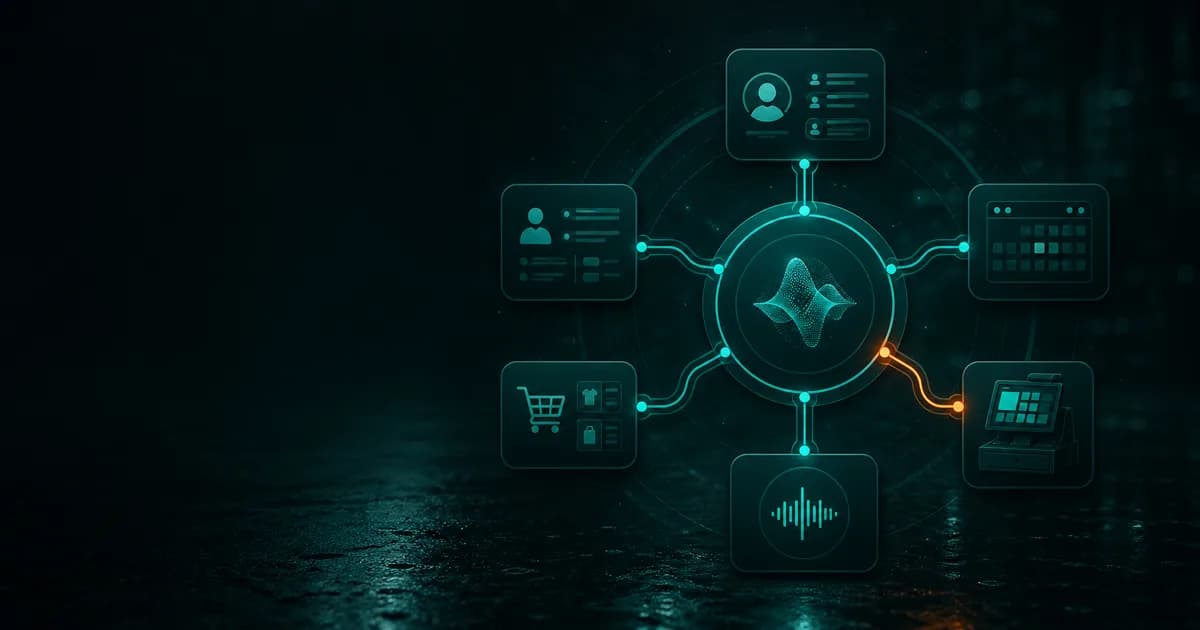
AI integration services connect AI models, assistants, and automation logic to the tools a business already uses.
That can include:
- website chat and customer questions
- CRM contact creation and follow-up
- booking and scheduling workflows
- ecommerce or quote-request handoff
- support inbox triage
- document and call summary
- reporting from analytics, ads, payments, and CRM data
- internal workflow automation
The integration part matters. A model can generate a good answer, but an integrated system can answer the customer, preserve the context, and move the next step into the right business process.
Why small businesses should start narrow
Small businesses do not need a giant AI platform on day one. They need a useful workflow that works.
Starting narrow has three advantages:
- the team can understand what changed
- the business can measure value quickly
- the integration can be kept safe and reviewable
For example, a website assistant can answer questions and capture lead context without changing the rest of the business. Once real visitor conversations show what people ask, it becomes easier to decide whether CRM, booking, support, or commerce integrations are worth building.
That is a better path than automating a process no one has measured.
The best first AI integrations for small businesses
1. Website assistant for common questions
The website is often the cleanest starting point because it already receives buying intent.
Customers ask about pricing, packages, services, hours, locations, policies, requirements, and next steps. If those questions go unanswered, the visitor may leave. If staff answer them manually all day, the team loses time.
An AI website assistant can answer from approved business context, support visitors after hours, and capture the conversation for follow-up.
That is why AiVA is a practical first step. It gives the business a visible AI workflow without forcing a full systems rebuild.
2. Lead capture and CRM handoff
Many businesses capture too little context from forms.
A visitor may submit a name, email, and short message, but the team still does not know what they viewed, what they asked, where they came from, or how urgent the request is.
AI integration services can improve that handoff by preserving:
- source page
- campaign or referral source
- conversation summary
- business name
- service interest
- urgency
- next-step intent
The first version does not need to auto-create deals. A good v1 can create or update a contact, attach context, and let a human decide the sales path.
3. Booking and appointment guidance
Appointment-heavy businesses often lose visitors before the booking step because people do not understand which service, package, or time block fits their situation.
An AI assistant can answer the question before the visitor enters the scheduling flow. Then a booking integration can route them to the right calendar, location, or service type.
This is useful for consultations, lessons, estimates, demos, clinics, salons, instructors, agencies, and local service businesses.
4. Quote and estimate intake
Quote requests often require the same qualification questions:
- what service do you need?
- where are you located?
- when do you need it?
- what size or scope is involved?
- what budget or constraints matter?
AI can collect the first layer of context before the team reviews the opportunity. That makes the human follow-up faster and more specific.
The safest v1 is not automatic pricing. It is better intake.
5. Support triage
AI can reduce support noise by classifying questions, answering basic ones, and routing unresolved issues to the right person.
This is especially useful when support requests mix sales questions, customer service issues, billing questions, and product education.
The assistant should not hide the human path. It should reduce repetition and make escalation cleaner.
6. Weekly business reporting
Many owners have the data they need but do not have a clean weekly picture.
Useful reporting integrations can summarize:
- traffic and top pages from analytics
- search visibility from Search Console
- paid media spend and clicks from Google Ads
- session behavior from Clarity
- contacts and deals from HubSpot
- subscriptions and invoices from Stripe
The goal is not a bigger dashboard. The goal is a short operating brief that says what is broken, what changed, and what should happen next.
7. Internal document and meeting workflows
Once customer-facing workflows are stable, internal AI can help with long documents, meeting notes, proposals, policies, research, and operational follow-up.
This is valuable when the business has scattered knowledge and repeated decisions that depend on context.
But it should still be scoped around a workflow, not a generic AI workspace.
How to decide what to automate first
Use this filter:
| Question | If yes, it may be a good first automation | | --- | --- | | Does this task happen repeatedly? | AI can reduce repetitive work. | | Does the task use information the business already has? | The assistant can be grounded in approved context. | | Does speed matter? | AI can answer or route faster than a manual queue. | | Does the next step follow a pattern? | The workflow can be integrated safely. | | Can a human review exceptions? | The automation can stay useful without becoming risky. | | Can success be measured? | The business can tell whether the integration worked. |
If the workflow is rare, highly judgment-heavy, unmeasured, or unclear, do not automate it first.
What not to automate first
Avoid starting with workflows that are too broad or too risky:
- replacing sales judgment with automatic deal creation
- writing legally sensitive messages without review
- changing prices, budgets, or billing automatically
- updating customer records without clear field rules
- automating a broken process before anyone understands it
- building custom infrastructure before the first workflow proves value
AI integration services should make a business more reliable, not more fragile.
A practical rollout sequence
For most SMBs, the safest sequence looks like this:
- Launch a website assistant.
- Review real visitor questions.
- Improve pages and FAQs based on those questions.
- Add lead capture and contact handoff.
- Connect CRM or booking only where the handoff is repeated.
- Add reporting so the team can see what is working.
- Use Custom AI whenever the business needs a purpose-built assistant, automation, or AI-powered system.
This is how AI integration becomes operational instead of experimental.
Where AI Integrations fits
AI Integrations helps small businesses start with practical workflows:
- AiVA for website answers, lead capture, and after-hours customer support
- AI chatbot integration services when the assistant needs a clearer handoff
- AI integration consulting when the team needs help choosing the first workflow
- Custom AI when any role, process, product, or business opportunity needs purpose-built AI software
The first step is usually not to buy the biggest AI system. It is to pick the workflow where AI can save time or recover missed intent this month.
Bottom line
The best AI integration services do not start with the model. They start with the workflow.
For most small businesses, automate the repeated customer touchpoint first: website questions, lead capture, CRM handoff, booking guidance, support triage, or weekly reporting.
Once that works, expand into deeper systems.
If the first workflow is your website, start with AiVA and pricing. If you need help choosing the automation path, start with AI integration services.
Related next steps
Move from the idea into the part of the site that matches the workflow.
This post is a better entry point when the next click goes to the commercial page that matches the topic instead of the same fixed CTA every time.
Services
Choose the right AI service path.
Launch AiVA for website customer service or build Custom AI around any role, workflow, system, or business opportunity.
Review servicesCustom AI
Explore Custom AI systems.
Explore specialized assistants, workflow automation, AI-powered software, integrations, and secure deployment for any industry, team, or business function.
Explore Custom AIIntegrations
Map the handoff into CRM, booking, commerce, or voice.
See where AiVA connects into follow-up systems and operational workflows after the website assistant is proving value.
Explore integrationsRelated reading
October 16, 2025
10 Smart Ways Small Businesses can Integrate AI Now
A practical list of AI tools and habits small businesses can use right now to save time, improve follow-up, and work faster.
February 6, 2024
What Gets in the Way of AI Adoption for Small Businesses
A look at the common barriers small businesses face when trying to adopt AI and how to approach them more practically.
September 7, 2026
After-Hours Website Leads: How Small Businesses Keep Questions Moving
Decide whether an AI website assistant can cover after-hours questions, capture lead context, and hand the right conversations to your team.